


The Key Core Upgrades: What Makes the New App Different?
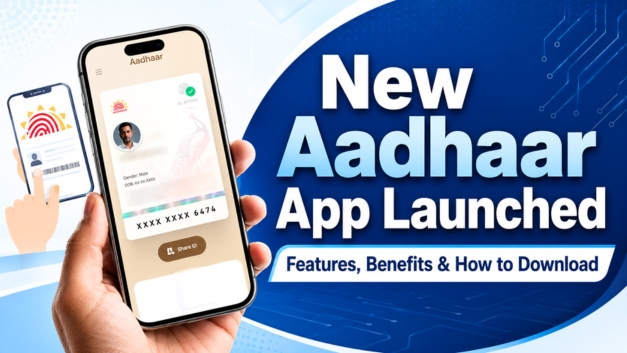
New Aadhaar app now available for your smartphone: In a massive stride toward data privacy and citizen-centric governance, the Unique Identification Authority of India (UIDAI) has officially rolled out its next-generation mobile application. Simply titled “Aadhaar”, this modern application introduces a comprehensive overhaul of the country’s digital identity infrastructure. Built strictly around data minimization principles and the Digital Personal Data Protection (DPDP) Act guidelines, the new application aims to protect citizens from identity theft while eliminating the old practice of handing over photocopies of physical paper.
With the central authority confirming that the legacy mAadhaar app will soon be completely discontinued, all cardholders are being actively encouraged to transition to this safer digital ecosystem immediately.
The older mAadhaar platform acted primarily as a static digital repository that relied heavily on One-Time Passwords (OTPs) and displayed full card details unconditionally during checks. The newly engineered application transforms this process by putting data control firmly in the hands of the resident.
1. Privacy-First Selective Data Sharing
This is easily the most critical privacy upgrade built into the interface. Previously, verifying your identity meant exposing your entire profile, including your unique identification number, full address, and birth year. The new application allows for selective sharing. For instance, if you are checking into a hotel or booking a cinema ticket, you can choose to reveal only your name and age block, masking your identification number and address entirely.
2. Secure, Offline QR-Code Verification
To prevent verifiers or third-party businesses from storing your private credentials, the application utilizes a dynamic, digitally signed QR code. Requesting entities (such as airport security, workplace onboarding desks, or hotel staff) simply scan your in-app QR code using a verification scanner. The app securely transfers the data without internet dependency, ensuring it can function flawlessly in low-connectivity zones or remote areas.
Top Advanced Features of the New Aadhaar Application
Face Authentication (Face ID) Support
Moving beyond a total reliance on mobile network OTPs, the new system integrates native Face Authentication. By linking directly with the official FaceRD system, it captures a 1:1 facial image scan to verify physical presence instantly, making account access exceptionally fast and secure.
The “One Family – One App” Dashboard
Managing family documents has been heavily simplified. The application lets a user host and manage up to five distinct profiles securely on a single smartphone device. This makes it incredibly easy for parents to manage the digital identity profiles of minor children or elderly relatives under one roof.
Instant Biometric Control & History Auditing
- One-Click Lock/Unlock: Users can lock down their fingerprint, iris, and facial biometrics with a single tap inside the app, cutting off unauthorized external authentication attempts instantly.
- Authentication Logs: A transparent built-in tracking ledger lets you audit exactly where, when, and by which agency your card credentials were used, allowing you to catch suspicious activity early.
- Direct Information Updates: Basic changes like updating your home address or modifying your registered mobile number can now be requested and processed natively without visiting a physical enrollment center.
Step-by-Step Guide: How to Download and Set Up the Application
The onboarding architecture features enhanced layers of security to prevent unauthorized profile spoofing. Follow these exact steps to complete your profile setup safely:
1. Download the Official App
Navigate to the Google Play Store or Apple App Store on your device. Search for “Aadhaar” and meticulously verify that the publisher name is explicitly listed as the Unique Identification Authority of India (UIDAI) to avoid copycat applications.
2. Mobile Number Linkage
Open the app, choose your preferred regional language, and input the mobile number currently linked to your official identification profile. Tap to receive a secure OTP and input it to pass the baseline network check.
3. Execute Face Authentication
The app will prompt a live camera view to perform Face ID verification. Keep your face well-lit and look directly into the scanner to match your live profile with the encrypted database.
4. Create Your Secure PIN
Establish a personalized 6-digit security PIN. For added day-to-day login convenience, you can toggle on your smartphone’s native fingerprint lock or face unlock option.
Important Reminder on Document Updates: Alongside this mobile rollout, UIDAI has formally extended the free online document update facility via the myAadhaar web portal until June 14, 2027. This gives citizens ample time to re-verify their identity and address details free of cost.
Market Relevance and Digital Public Infrastructure Impact
The introduction of this application establishes a monumental milestone for India’s Digital Public Infrastructure (DPI). By eliminating the physical handling of sensitive identification paper slips and shifting to decentralized, on-the-spot cryptographic checks, the government is systematically targeting financial fraud, duplicate profile creation, and corporate data leakage. Whether it is a gig-economy worker completing onboarding or a quick hospital registration check, the new application balances citizen convenience with absolute data sovereignty.
To stay updated with high-authority, real-time reporting on national policies, technological upgrades, and financial changes across India, keep following KRH News.
Also read, Annapurna Bhandar Scheme 2026: Eligibility, Benefits, Documents and Application Guide
Watch Latest News Videos on KRH News: Click Here